Automations are currently in private alpha and only available to a limited number of users. APIs might change before GA.To use the methods on this page, you must upgrade your Resend SDK:
npm install resend@6.11.0-canary.1
Contact us if you’re interested in testing this feature.
This automation step triggers a Template email to be sent to the contact.

How it works

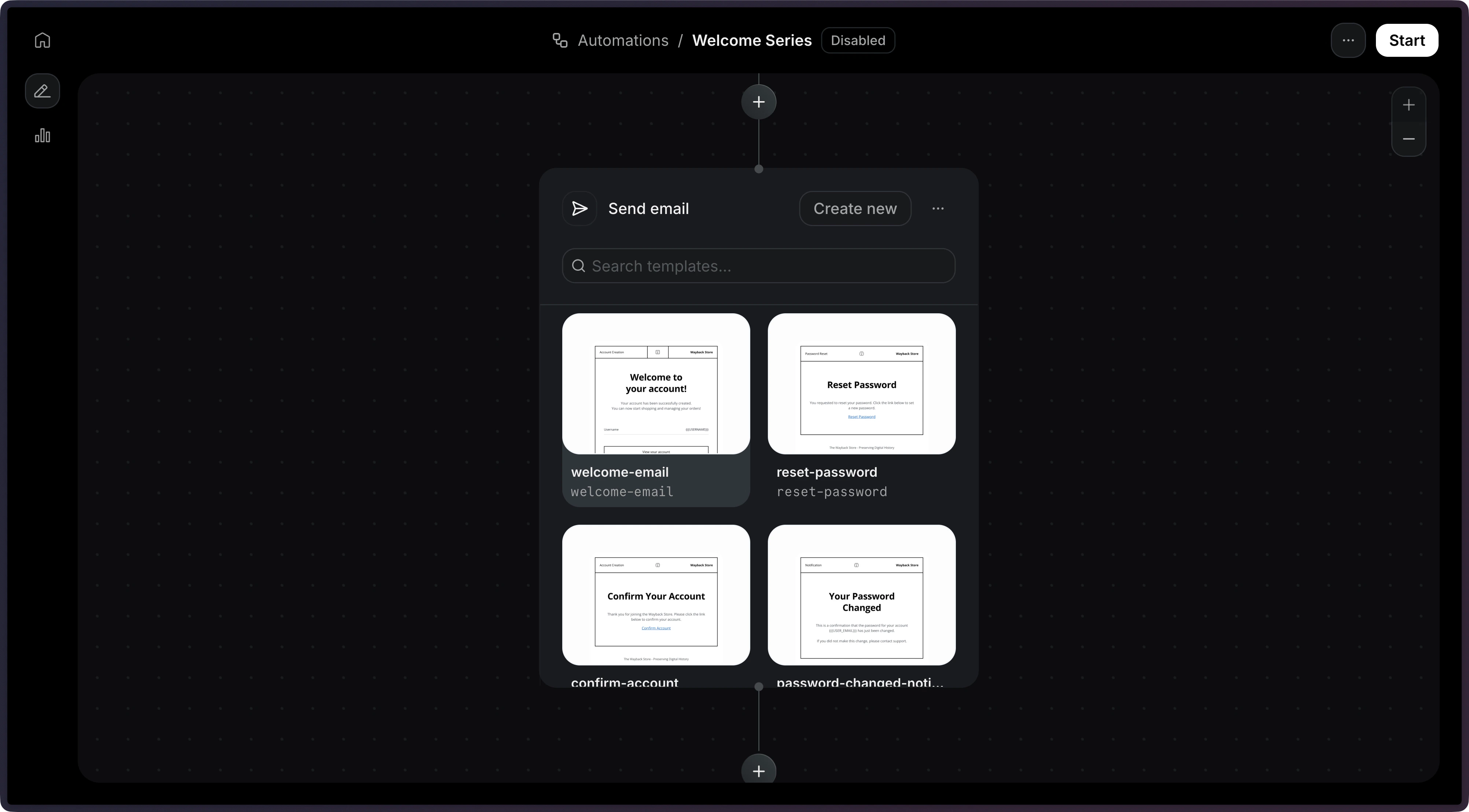
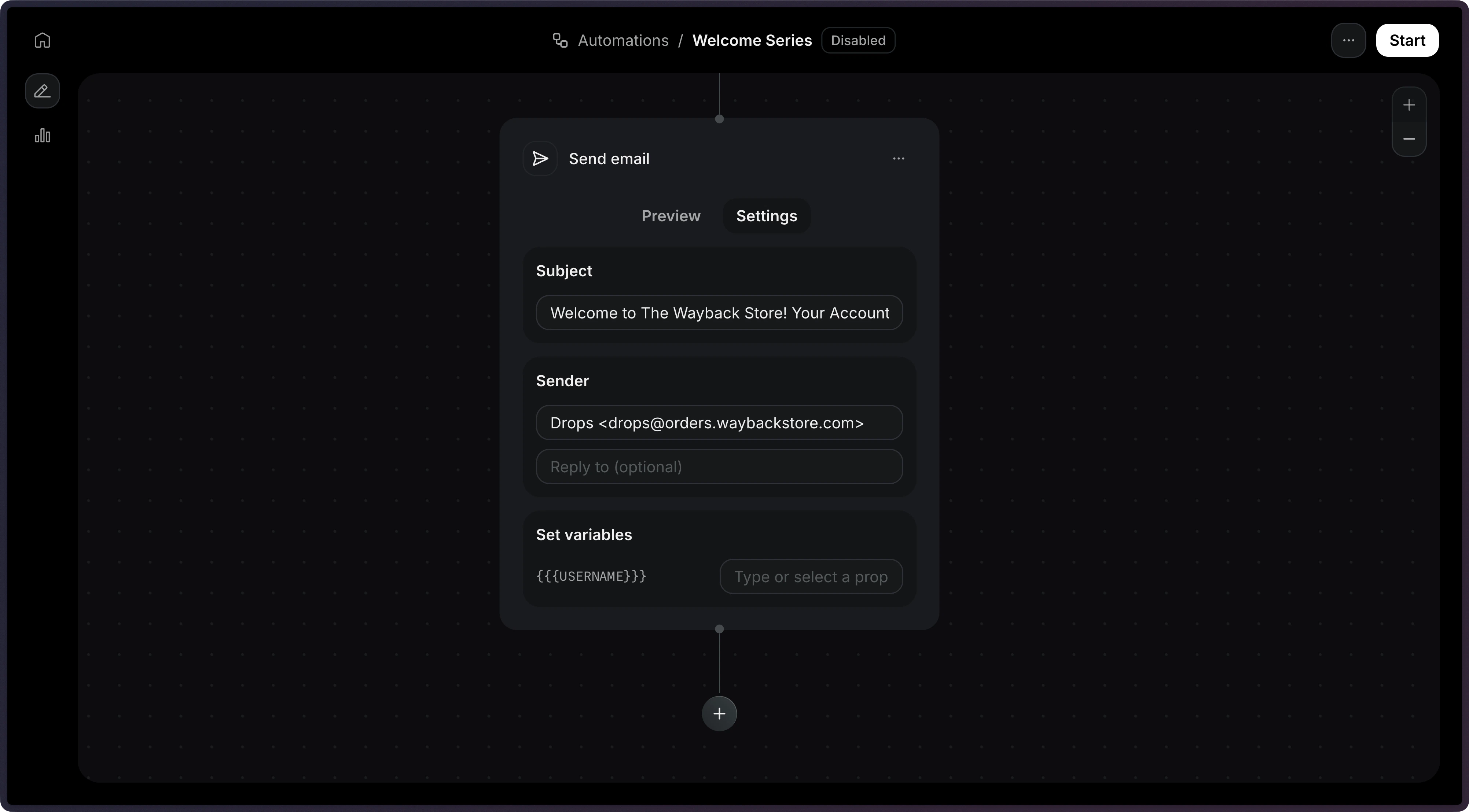
After adding a trigger, create a new step to Send an email.Add Send Email ActionSelect a published template, then configure the subject and sender address.Send Email Action Settings
Only published templates are available to be used in an Automation.

Template variables

Use the variables field to pass dynamic data into your template. Variables reference data from the triggering event or the contact record using the event.* and contact.* namespaces.
{
  "key": "welcome",
  "type": "send_email",
  "config": {
    "template": {
      "id": "044db673-fff6-420f-a566-f6aba05d60e7",
      "variables": {
        "firstName": "{{ event.firstName }}",
        "orderNumber": "{{ event.orderId }}",
        "total": "{{ event.amount }}",
        "company": "{{ contact.properties.company }}"
      }
    }
  }
}
Template variables must be present in your referenced template and the key names must match exactly with the template variable names. For more help working with variables, see the Template documentation.

Configuration

config.template
object
required
The published template to send. Provide id and optionally variables.
config.from
string
The sender email address.If provided, this value will override the template’s default value.
config.subject
string
The email subject line.If provided, this value will override the template’s default value.
config.reply_to
string
Reply-to email address.If provided, this value will override the template’s default value.
{
  "key": "welcome",
  "type": "send_email",
  "config": {
    "template": {
      "id": "062f8ef4-fbfa-44f1-b5e0-ff8e1e8ffa96",
      "variables": {
        "name": "{{ event.firstName }}"
      }
    },
    "from": "hello@example.com",
    "subject": "Welcome!",
    "reply_to": "support@example.com"
  }
}